
Background
It’s been a while since I’ve needed to investigate a deadlock – before we moved to Azure Managed Instances. So, when I wanted to look at the details of a particular object, I used my old method of DBCC PAGE.
Imagine my surprise.
Don’t Try This at Home
I wanted to delve into the details of a particular page, as part of my deadlock investigation. Normally, the result come back very quickly. However, this time it was taking a while.
While wondering what the delay could be, I noticed a lot of alerts from our monitoring tool (Redgate Monitor). The instance that I was connected to had restarted. I reconnected to the instance and looked at the details, within Monitor. Nothing obvious could be seen, and Azure can display an awful lot of information that I’m sure is useful to somebody – but not me.
Several of our support team had a look and nothing stood out. At that point we had had one or two mysterious ‘hiccups’ from Azure, so finally put it down to that, raising a ticket with our Azure support specialists.
So, once everything had settled down, I tried my DBCC PAGE command again. And guess what?
Ever had that horrible sinking feeling?
Fortunately, Azure SQL databases do recover very quickly – small consolation that it was
A Bit More Detail
Some DBCC commands are already blocked from running, against Azure databases. For example, try to set trace flags via DBCC TRACEON, and you will see this:
Image 01: DBCC Trace Flag Error

I could find no information that mentioned an issue with using DBCC PAGE, but the evidence was quite clear.
Another ‘feature’ of Azure Managed Instance, is that after a restart, the old error logs aren’t available – so you can’t see anything from that, that might help investigate the cause of the instance failure.
Fortunately, Redgate Monitor also records the entries that are written to the error log – another reason to have a decent monitoring package.
Image 02: Error Log from Instance Failure
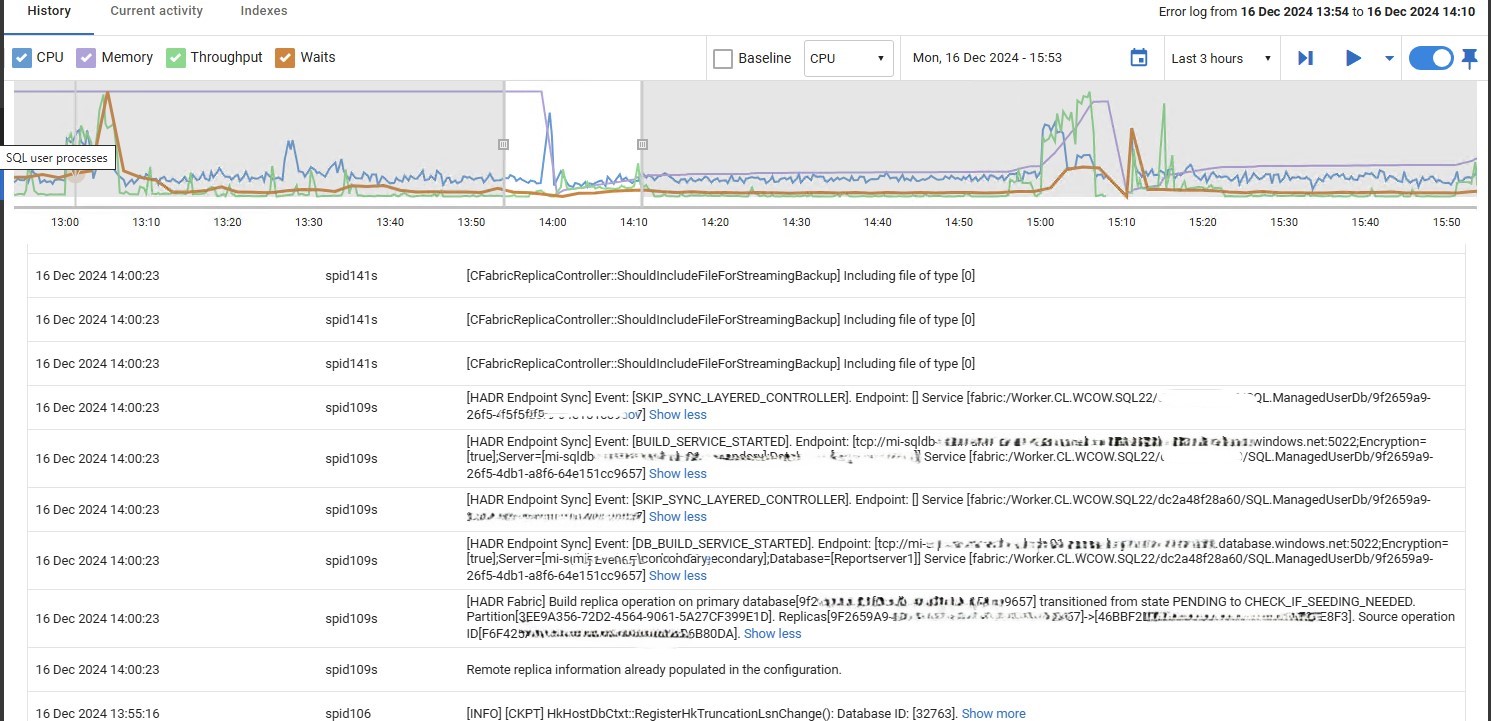
I have to say, that error log doesn’t explain anything useful to myself. If anybody has any insights into any of those messages, I would be interested.
Conclusion
DBCC PAGE is not safe to run on Azure SQL Databases – use sys.dm_db_page_info instead.
Having raised a ticket for this, I have been told that Microsoft will address this – by preventing DBCC PAGE from executing, as they do with TRACEON. Of course, there is no timescale for this.
 Notes on SQL